
Key Takeaways
When one EA is no longer enough, most firms face three options: extend their current EA’s hours, bring on a second EA, or shift to a managed offshore model that handles coverage and oversight together. The right choice depends on where the bottleneck actually sits in hours, task complexity, or your own time managing the setup. This article walks through each decision point so you can build EA capacity that holds without adding management overhead.
Before any offshore EA gets access to your firm’s environment, four things need to be in place: a defined task scope that separates administrative work from compliance-sensitive functions, a signed NDA that explicitly covers client data and third-party PII, a data handling agreement that specifies what the EA can and cannot access, and a clear picture of the physical and technical security environment the provider operates in. This article covers each of those in enough detail to run your own evaluation.
Why HR and payroll operators need a different EA evaluation framework
The standard EA evaluation checklist, whether they can manage a calendar, whether they know Google Workspace, whether they respond promptly, is not enough when your firm handles client payroll data, employee Social Security numbers, and benefits enrollment records. The question is not only whether the EA is capable. It is whether the access model, documentation, and data handling practices of the provider are appropriate for your environment.
A dedicated offshore executive assistant placed into a general business context carries different risk than one placed into an HR or payroll firm. The tasks overlap, but the data environment does not. A general provider evaluation skips the questions this buyer needs answered.
The specific risk profile of HR and payroll firms
Your firm holds employee PII on behalf of client companies: names, Social Security numbers, compensation data, banking details for direct deposit. If you administer employer-sponsored health plans, you likely hold benefits enrollment data that includes health plan information with its own regulatory requirements. Client payroll records carry wage and hour compliance implications. A 2024 Payroll Integrations survey found that HR managers spend an average of 12 hours per week on payroll and benefit-related administrative tasks, with more than a quarter spending 20 hours or more. That is the volume of work this article is about moving off your plate.
The risk in bringing an EA into this environment is not that they will misuse data intentionally. It is that uncontrolled access, weak NDA documentation, or an unsecured work environment creates liability you cannot explain to a client if something goes wrong. The documentation requirement exists to protect the relationship, not to signal distrust.
What this article covers, and what it does not
This article covers EA support for administrative and operational tasks within an HR or payroll firm. It does not cover outsourcing the payroll processing function itself, HR advisory work, or compliance-specialist roles. The EA’s job is to support the operator and the firm’s workflows, not to process payroll runs or advise on HR policy. That line holds throughout every section.
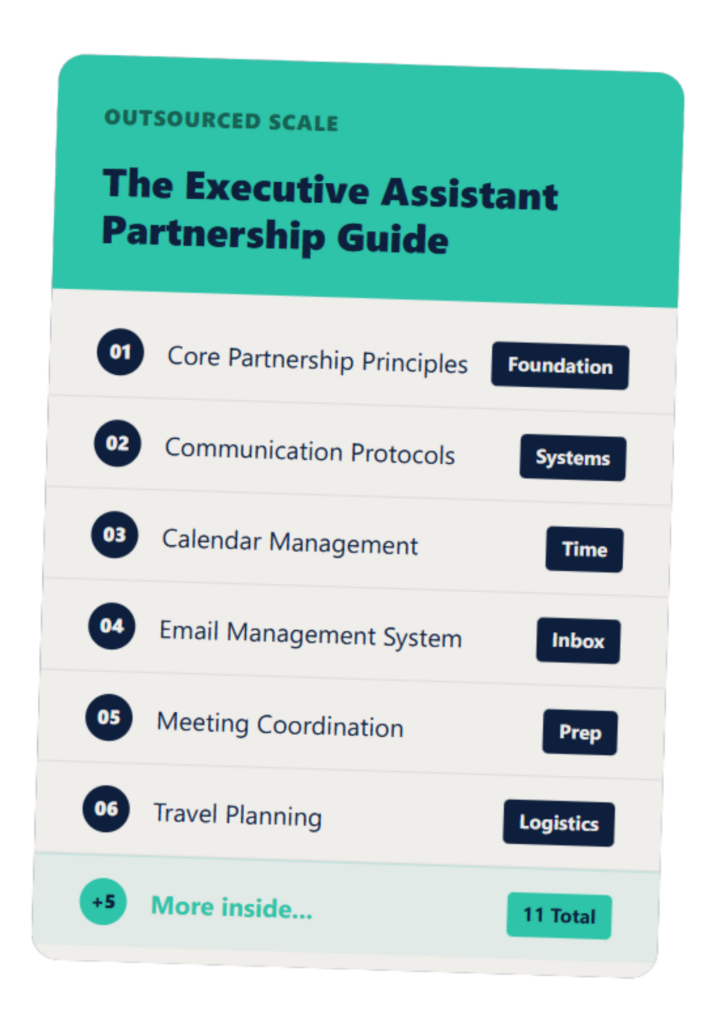
The Executive Assistant Guide
A customizable EA system that helps you and your assistant work smarter—not harder.
What tasks are safe to offshore in an HR or payroll firm
The administrative work that keeps an HR or payroll firm running, scheduling, inbox management, client communication follow-through, document preparation, report formatting, and platform coordination, can be safely handled by a well-vetted offshore EA. The tasks that require direct access to employee PII or active payroll processing are a different category and should stay in-house until specific access controls and documentation are in place.
Tasks that offshore well in this context
These tasks carry low data exposure and are safe to delegate once the EA is onboarded and the access scope is documented:
- Calendar management and scheduling for firm principals and client-facing meetings, including timezone coordination and recurring appointment management.
- Email inbox management and triage: drafting responses, flagging priority items, filing correspondence, and managing follow-up queues.
- Client communication follow-up: tracking open items, sending reminders, and following up on pending documentation from clients or vendors.
- Proposal preparation and document formatting: building decks, formatting reports, and assembling client-facing materials from information the operator provides.
- Applicant tracking coordination: scheduling interviews, sending confirmations, and tracking candidate status without access to compensation or offer data.
- Platform coordination: setting up accounts, managing integrations, and running status reports from HRIS dashboards where access is scoped to view-only or reporting functions.
- Marketing operations support: managing the firm’s own content calendar, email campaigns, and social scheduling.
Tasks that need careful scoping before delegating
These tasks are not off-limits, but they require explicit access controls and documented procedures before the EA touches them. Data entry that involves employee PII requires a defined scope of which fields and which records. Running reports from payroll platforms that surface compensation data requires read-only access with a clear policy on what the EA does with those reports. Handling benefits-related correspondence that includes health plan information requires a documented procedure and, depending on your firm’s covered entity status, potentially a Business Associate Agreement with the provider. Any task that puts the EA in direct communication with client employees about their payroll or benefits records requires a pre-approved script and escalation path.
Tasks that should stay in-house
These stay with you or your specialist staff, without exception: active payroll run processing and approval, benefits plan enrollment decisions, compliance advisory work, and any communication where your firm is the legally responsible party for an HR determination. An EA can prepare the materials. They should not be the decision-maker or the documented signatory on anything that carries regulatory weight.
Compliance and confidentiality requirements to verify before you hire
Before any EA gets access to your firm’s systems, three documentation requirements apply regardless of how you structure their access: a signed NDA covering client data, a documented data handling agreement specifying what data they can and cannot access, and clarity on whether the provider operates under a managed security environment or leaves the EA to work from personal equipment.
What HIPAA means for HR and payroll firms, and where it applies to an EA
HIPAA’s Privacy and Security Rules apply to your firm if you administer or handle data from an employer-sponsored health plan. Many HR and payroll companies do. If an EA has access to benefits enrollment systems that surface protected health information, the provider relationship requires a Business Associate Agreement. If the EA handles only scheduling, document prep, and platform coordination without touching health plan data, the BAA requirement likely does not apply.
The Office for Civil Rights collected $9.9 million in HIPAA fines in 2024, an average penalty of $579,000 per enforcement action, and confirmed Phase 3 compliance audits are underway as of early 2025. That is not a reason to avoid EA support. It is a reason to draw the access line clearly before onboarding and confirm with your legal counsel where your firm sits on the covered entity and business associate spectrum.
The data access principle to apply before onboarding
The EA should receive the minimum access level that allows them to do their job, not blanket access to your firm’s systems. In practice: a separate email account with controlled permissions rather than full access to a partner account, read-only or report-only access to HRIS platforms where view access is sufficient, and staged expansion of access as the working relationship matures and procedures are documented. This is not a trust issue. It is a liability management structure.
What documentation to require from any provider
Ask for these specific documents before you sign anything: a signed NDA covering client data and third-party PII, a data handling agreement or data processing addendum (especially if the provider is Philippines-based and your firm is a covered entity or business associate under HIPAA), a statement of the physical and technical security environment the EA works in (managed facility or home office), and the provider’s policy on device ownership and data storage. A provider who cannot produce these documents on request before contracting is not ready for an HR or payroll environment, regardless of how credible they appear in the sales conversation.
What to ask a provider, and what their answers tell you
The quality of a provider’s answers to specific compliance and security questions tells you more about fit than any credential on their website. Ask these questions before you sign anything.
Five questions that separate prepared providers from the rest
What physical environment does your EA work in? The expected answer is a managed facility with company-owned equipment and a controlled network. A response of “our EAs work from home, it’s up to them” means no visibility into the security environment and no accountability for what happens on that device.
Does your NDA explicitly cover client data and third-party PII? The expected answer is yes, with confirmation that the NDA scope extends beyond the provider’s own information to cover data the EA encounters in the client’s environment. A “standard NDA” answer without confirming client data scope is not sufficient.
What is your offboarding process when an EA leaves? The expected answer is a named offboarding checklist with account revocation within 24 hours. A vague answer or the absence of a documented process means your firm’s system access is at risk during any EA transition.
What is your replacement policy and timeline? The expected answer is a defined replacement window, typically two to four weeks, with backup support during the transition period. No backup model means you carry the full interruption risk if the EA is unavailable.
Do you have experience placing EAs in HR or payroll firm environments specifically? The expected answer is specific examples or a named understanding of the compliance environment. A generic answer about VA capabilities with no HR or payroll context tells you the provider has not placed in this environment before and has not thought through the access requirements.
Platform knowledge to verify before onboarding
The EA will work inside your existing tool stack. Verify familiarity with the platforms most common in HR and payroll environments: BambooHR, Rippling, Gusto, ADP, Paychex, and Paylocity for HRIS and payroll coordination; Google Workspace or Microsoft 365 for communication and document management; and your CRM or client management platform. The executive assistant skills for HR and payroll environments resource covers what to verify and how to structure that assessment. Verification does not mean every EA needs prior experience in all of these platforms. It means the provider can explain their onboarding and training process for your specific stack.
What onboarding looks like in an HR or payroll environment
Onboarding an EA in a compliance-sensitive environment takes longer than a standard business onboarding and requires more documented structure at the start. Not because the EA is a higher risk, but because the cost of an undocumented access error in this context is real.
The staged access model
A staged onboarding sequence for an HR or payroll context runs roughly like this: the first two weeks cover calendar, email, and document prep with no system access beyond communication tools. Weeks three and four add platform access to HRIS reporting and scheduling tools with read-only permissions. Week five onward introduces task-specific write access where documented procedures are already in place. This is not a rigid timeline. It is a staged structure that matches access expansion to documented readiness.
What to document before the EA starts
Three things need to be written down before day one: the EA’s access scope, covering which systems, which permissions, and which data they can touch; the escalation path for anything that falls outside their documented scope; and the weekly review process for the first 30 days. The resource on training a virtual assistant on HRIS and payroll systems covers how to get the EA up to speed on the specific platforms in your stack and what documentation to build during ramp-up. These three documents reduce the number of check-ins required during onboarding and protect both parties if a question arises later about what the EA was authorized to do.
Understanding scope, what falls inside and outside the EA’s role
The clearest source of problems in any EA arrangement is ambiguity about what the EA is responsible for versus what stays with the operator or a specialist. In an HR or payroll firm, that ambiguity has compliance implications. Define the scope before day one and document any changes in writing.
A practical scope boundary for HR and payroll contexts
The EA handles execution and coordination: scheduling, communication, document prep, platform coordination, and reporting. The operator and specialist staff retain ownership of compliance determinations, client advisory work, payroll approval, and any communication where the firm is the legally responsible party. If the EA receives a task that sits in the specialist category, the default action is to escalate to the operator, not to attempt the task. The HR outsourcing vs PEO responsibility matrix maps out where responsibility lines sit across different firm structures and is a useful reference when building the EA’s scope document.
What this costs, and what the comparison looks like for your firm
Full-time offshore EA support for a payroll or HR firm typically runs at 60 to 70 percent less than a US-based equivalent, with managed service arrangements absorbing the recruiting, HR, and performance management overhead the operator would otherwise carry. The EA cost benchmarks for service firms covers what full-time offshore managed support costs across firm types and what the comparison looks like against an internal operations hire.
The honest framing: managed offshore EA support at full-time rates runs $1,200 to $2,000 per month depending on the provider model and scope. That cost includes recruiting, onboarding, HR, and performance management. What it does not include is the operator’s time spent on workflow documentation, task direction, and output review. That part stays with you. The cost comparison is favorable, but the savings are not zero-effort.
A specific note for payroll bureau operators
Payroll bureaus run on weekly processing cycles with hard deadlines. Any EA support in this environment needs to be coordinated around those cycles, not imposed on them. An EA who does not understand the cycle will create interruptions during the highest-pressure windows of your week.
The EA use cases that fit best in a payroll bureau context are the ones that happen between cycles: prospecting and pipeline support for new client development, client communication management and follow-up, and proposal preparation for new client onboarding. The EA supports the business development and administrative layer. The processing layer stays with your specialist staff.
The Payroll Bureau Sales Playbook covers how firms in this category structure their growth operations and where EA support fits into that model.
How to test a provider before you commit
A prepared provider should not resist a short evaluation period or a skills assessment before placement. If they do, that is information worth having before you sign a contract.
What to assess before signing
Ask the provider for a specific skills assessment result or sample output relevant to HR and payroll support tasks before placement. Run a structured 30-day trial scope before expanding access beyond communication tools. Verify the provider’s stated compliance practices against their actual documentation, not their sales materials. The how to test EA skills before you hire resource covers what a skills assessment should include and how to structure a trial period that gives you meaningful signal before you commit to a longer arrangement.
The decision is straightforward if the documentation is in place
For HR firms and payroll companies, the case for offshore EA support is not primarily about cost. It is about getting administrative and operational work off the owner’s plate in a way that does not create a compliance liability. When the provider documentation is in order, the access model is staged appropriately, and the task scope is defined before day one, the arrangement is low-risk and worth the investment.
Before you commit to any provider, verify four things: the NDA explicitly covers client data and third-party PII, a data handling agreement specifies the EA’s access scope, the provider’s physical security environment is a managed facility rather than an uncontrolled home setup, and the replacement policy and timeline are documented. Those four checks eliminate the providers who are not ready for your environment and give you a clean basis for the ones who are.
If you run an HR firm or a payroll company and you want to see what offshore EA support looks like in your specific environment, what the access model looks like, what documentation OS carries, and what tasks we typically scope for firms like yours, a short conversation is the fastest way to get a clear answer. No pitch deck. Just a direct look at whether the fit makes sense. You can see what this costs for your firm in 20 minutes.
FAQs About Outsourced EA for HR Firms
Q: Can an offshore executive assistant handle HR and payroll administrative tasks safely?
Yes, with the right access controls and documentation in place. The key distinction is between administrative and coordination tasks, which offshore well, and compliance-sensitive or data-intensive tasks that require tighter scoping or should stay in-house entirely.
Q: Does HIPAA apply to an EA I hire for my HR or payroll firm?
It depends on what data the EA can access. If your firm administers an employer-sponsored health plan and the EA has access to health plan data, a Business Associate Agreement is required under HIPAA. If the EA handles only scheduling, document prep, and platform coordination without touching health plan records, the BAA requirement likely does not apply; confirm the line with your legal counsel based on your specific data environment.
Q: What documentation should I require from an offshore EA provider?
At minimum: a signed NDA covering client data and third-party PII, a data handling agreement specifying access scope, a description of the physical and technical security environment the EA works in, and the provider’s offboarding process for platform access revocation. A provider who cannot produce these on request before contracting is not ready for an HR or payroll environment.
Q: What HRIS and payroll platforms should an EA for my firm know?
Common platforms include BambooHR, Rippling, Gusto, ADP, Paychex, and Paylocity for HR and payroll coordination, plus Google Workspace or Microsoft 365 for communication and document management. A provider’s onboarding process should include tool-specific training for whatever is in your stack.
Q: How long does it take to onboard an offshore EA in an HR or payroll environment?
Allow 30 to 45 days for a full onboarding in a compliance-sensitive environment. The first two weeks should cover communication tools and document prep only, with platform access expanding in stages as procedures are documented. Rushing this timeline increases risk because undocumented access expansion in this environment has real consequences if something goes wrong.
Q: How much does offshore EA support cost for an HR or payroll firm?
Managed offshore EA support for a professional services firm typically runs at 60 to 70 percent less than a comparable US-based hire, generally $1,200 to $2,000 per month depending on the provider model and scope. The managed model includes recruiting, HR, and performance oversight; the operator pays more per hour than a direct hire but avoids absorbing those functions.