

Key Takeaways
- Clients notice response speed and accuracy, both of which improve when an EA owns the coordination layer and fewer tasks fall through the cracks.
- A two-tier communication model separates what the EA sends independently using approved templates from what always goes through the firm owner first.
- Template-based coordination messages go out without review; anything drafted outside the template scope queues for the owner’s sign-off before sending.
- The EA needs access to calendar tools, email, and CRM only, not employee records, investigation files, or system-level HRIS administration.
- Scope definition, access controls, and communication templates set up in week one are what protect client relationships, not ongoing supervision of every output.
Client trust in an HR firm is built on two things: the quality of your advice and how quickly you respond. An offshore EA handles the coordination layer so both improve. You stay in every client conversation. The EA handles everything that surrounds it. Done correctly, clients experience faster communication and better follow-through, not less of you.
Why HR firm owners worry about client trust when adding offshore support
The concern is legitimate. Running an HR firm involves sensitive client data, employment relationships, and professional judgment. The question is whether those concerns apply to the coordination layer, and they generally do not.
What clients actually notice vs what the EA actually touches
Clients notice two things: how fast you respond and whether the information they receive is accurate. Your EA handles scheduling confirmations, follow-up emails, and document requests. None of these touch the substance of your advice. What the client experiences is faster response times and fewer dropped coordination tasks, not a change in the quality or source of their HR guidance.
Business.com’s research on outsourcing concerns for business owners notes that the sense of lost control typically comes from handing over decision-making functions, not administrative ones. The coordination layer your EA owns sits well outside that zone.
The difference between client relationship management and relationship work
Client relationship management is the operational side: scheduling calls, sending recaps, chasing documents, updating records. Relationship work is the advisory side: the conversation itself, the judgment calls, the professional trust you have built over time. These are different activities. The first transfers to an EA. The second stays entirely with you.
Why this concern is about perception more than practice in most setups
The trust risk in using offshore support is real but it is about scope definition, not the offshore model itself. A US-based admin assistant who sends the wrong email causes the same problem as an offshore one. The fix is the same in both cases: clear scope, defined approval workflows, and communication templates. The offshore vs US EA cost and trade-offs comparison covers this in detail for firms weighing both options.
How to structure the EA’s scope to protect client relationships
The scope definition is the entire answer to the trust question. When scope is set correctly, clients experience better service, not a lower-quality proxy.
The two-tier communication model: what the EA sends vs what you send
Tier one is coordination communications: meeting confirmations, document request follow-ups, scheduling messages, and recap summaries based on your post-call notes. Your EA sends these independently using approved templates.
Tier two is relationship communications: anything involving professional advice, employment guidance, sensitive context, or a situation you have not seen before. These come from you. The EA does not draft them and does not have visibility into the context behind them.
The EA skills for HR payroll and HRIS breakdown covers the specific task categories and communication types that sit cleanly in tier one for HR firm environments.
How to define approval workflows for client-facing communications
Not every client communication needs your review before it goes out. Scheduling confirmations and standard follow-up emails using your approved templates do not. Anything that involves a client question, an unusual situation, or content outside the template scope does. Define this in writing before your EA starts and the approval workflow runs without friction.
A simple rule: template-based communications go out without review. Anything the EA drafts from scratch gets queued for your sign-off. This covers the risk without creating a bottleneck that defeats the purpose of having an EA.
What to put in writing before the EA touches any client account
Before your EA handles any client-facing communication, document three things: the task categories they own, the communication templates they use, and the escalation trigger for anything outside their scope. One page is enough. The EA references it when something unusual comes up rather than guessing or asking you each time.
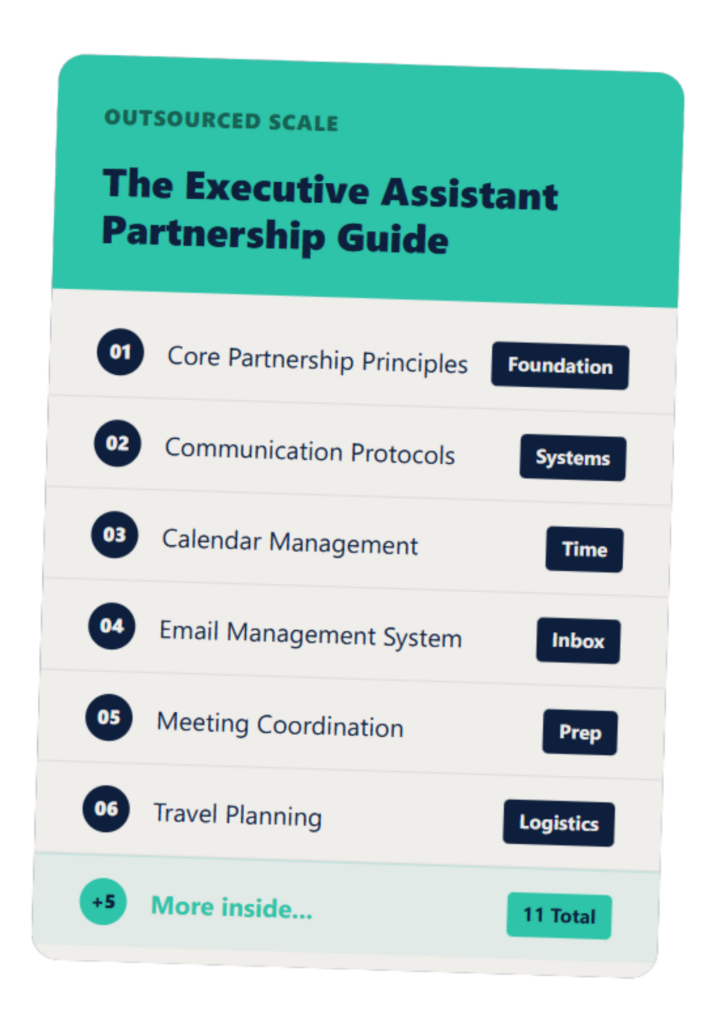
The Executive Assistant Guide
A customizable EA system that helps you and your assistant work smarter—not harder.
Data access protocols: what the EA needs and what they do not
The EA needs access to a narrow set of tools. The concern about sharing everything dissolves once the actual access list is written down.
What the EA needs: scheduling tools, email templates, CRM notes
Your EA needs access to your calendar tool, your email platform for sending coordination messages, and your CRM for logging call outcomes and updating contact records. In practice this means Google Workspace or Outlook, Calendly or a similar scheduling tool, and your CRM platform scoped to the functions they use.
What the EA does not need: confidential employee records, system-level HRIS access
Your EA does not need access to employee files, investigation records, performance documentation, or system-level HRIS administration. These stay locked to you and any staff members with a direct professional need. The access list for the EA is short by design.
Staff Domain’s research on offshore EA providers notes that reputable providers screen candidates and operate from managed offices with compliance and HR oversight in place. Provider-side controls and your own access protocols work together.
How to set access controls in your existing tools
Google Workspace, Outlook, HubSpot, Salesforce, and most scheduling tools support role-based access. You grant the EA access to the specific folders, inboxes, and CRM views they need. You do not share admin credentials or give full account access. This takes thirty minutes to set up and does not require IT support for most small firm configurations. The HR outsourcing vs PEO responsibility boundaries framework is a useful reference for thinking through which data categories sit where across your service relationships.
Quality control mechanisms that keep standards consistent
Quality control is not about checking every output. It is about having the right systems so you only need to intervene when something is genuinely wrong.
The review cycle: when to approve before sending vs when to let it go
In the first two weeks, review everything. This is not because the EA will get it wrong. It is because the feedback from reviewing trains the EA on your preferences faster than any written guide. By week three, the template-based communications go out without review. You check the weekly summary and flag anything that needs adjustment.
Communication templates that keep the EA writing in your voice
Templates are not a limitation on the EA. They are a quality control tool. A well-written scheduling confirmation, follow-up email, and document request template written in your voice means every client-facing message from your EA reads like it came from you. Spend two hours on templates in week one and the review burden drops significantly from week two onward. Building trust with a remote EA covers the template and setup practices that close the gap between access and independent operation quickly.
The feedback loop that trains the EA on your preferences in the first 30 days
A short daily check-in in the first two weeks, five minutes at end of day, is the fastest way to calibrate your EA to your preferences. The guide on giving feedback to an offshore EA covers the format that makes feedback actionable without turning it into a management overhead. The guide on how to manage an offshore EA covers the ongoing check-in structure once the initial calibration period is complete.
FAQs About Utilizing EA in Maintaining Client Trust
Will my HR clients know I am using an offshore assistant?
Clients rarely ask and there is no disclosure requirement for administrative support. If a client does ask, the accurate answer is that you have a dedicated support person handling scheduling and coordination.
What happens if the EA makes a mistake in a client communication?
Scope definition and review cycles handle this. For communications that need to be right, you review before the EA sends; for routine scheduling and follow-up, templates keep the output consistent.
Can I give the EA access to my CRM without sharing sensitive client data?
Yes. CRM access can be scoped to specific functions, including logging call notes, updating contact stages, and pulling standard reports, without exposing confidential documents or employment records.
How do I train the EA to communicate in my voice?
Start with a brief communication guide covering preferred sign-off language, formality level by client type, and phrases to use or avoid; add a feedback session in week one and the EA adapts quickly.
Is there a legal risk to using offshore support when running an HR firm?
The legal exposure depends on what the EA accesses, not where they are located. If the EA handles scheduling and administrative follow-up only, the arrangement is straightforward; confirm with your own counsel for regulated industries.
If the trust question has been holding you back, that is the right conversation to have first. Book 20 minutes here and we will walk through exactly how scope and access are set up before any EA starts.