

Key Takeaways
- Waiting for things to slow down before hiring an EA is self-defeating because the calm does not precede the EA, it results from the EA being in place.
- Week one requires roughly two hours from the owner: a 60-minute kickoff call and 30 to 60 minutes of tool access setup spread across the week.
- At $200 per hour and 10 admin hours per week, waiting 90 days to hire costs roughly $24,000 in foregone value against a $3,600 to $6,000 EA cost over the same period.
- The managed provider handles recruiting, vetting, and pre-start orientation while the owner’s week runs normally, with nothing moving until the owner confirms.
- Starting the process requires one 20-minute scoping conversation, not a cleared calendar, a documentation project, or a slow period that is not coming.
Waiting for things to slow down before hiring an EA is the most common reason firm owners stay stuck. The problem is structural: the busyness you are waiting to escape is caused by the absence of the support you are waiting to hire. The calm does not come before the EA. It comes because of the EA.
Why the “I will do it when things slow down” logic is self-defeating
The reasoning feels sound: when I have less on my plate I will have time to train someone. The problem is that less on your plate requires the EA to be in place first.
The circular trap: busyness prevents the hire that would end the busyness
The cycle works like this. Your plate is full, so you delay the hire. Because you delayed the hire, your plate stays full. Next month arrives with the same conditions. The delay feels rational at each decision point and produces the same outcome every time: another month of carrying the full operational load yourself.
Why things do not slow down for professional service firm owners: the cycle is structural
Professional service firms do not have natural slow periods that create space for new initiatives. New clients create new coordination overhead. Retainer renewals bring administration. Tax seasons, compliance cycles, and quarterly reviews all arrive on schedule. The structure of the business generates recurring admin continuously. Waiting for the structure to change means waiting indefinitely.
How the decision keeps getting pushed: what “next month” has looked like for the last six months
Think back six months. You likely had a version of the same thought then: things are busy right now, I will start the hiring process when it calms down. Six months later the conditions are similar and the thought is the same. That pattern is the data. The calm is not coming because the calm requires the EA, not the other way around.
What the first two weeks actually require from you
The fear is that onboarding will add to an already full plate. In a managed model, the first two weeks require roughly two hours of your time.
Hour 1: the kickoff call: walk through your week and preferences
The kickoff call is sixty minutes. You walk the EA through what a typical week looks like, which clients require the most coordination, and what the first task handoff will be. No preparation required. Your answers to “what does your week look like” and “what do you wish you were not doing” are sufficient.
Hour 2 spread over week 1: access setup for your tools
Setting up email access, calendar access, and your scheduling tool takes thirty to sixty minutes total. Most of it happens while you are already at your desk. The EA handles the rest of the orientation on their own. The guide on which tasks to delegate to an EA first covers the starting task set that transfers in week two, requiring no additional setup from you. The EA 30-60-90 day onboarding plan maps the full ramp if you want to see what comes after week two.
What the EA does the rest of week one while you work normally
While you run your week, the EA reviews your inbox patterns, learns your client list, reads your existing email templates, and maps your calendar structure. They do not send anything or take action. At the end of week one you receive a short summary of what they observed and a proposed task list for week two. You review it and adjust. That is the full week-one requirement.
The US Chamber of Commerce reports that 67% of small business owners who delegated to a virtual assistant freed up meaningful time to focus on growing their business. The week-one setup is what makes that possible. It does not require a cleared calendar. It requires two hours over five days.
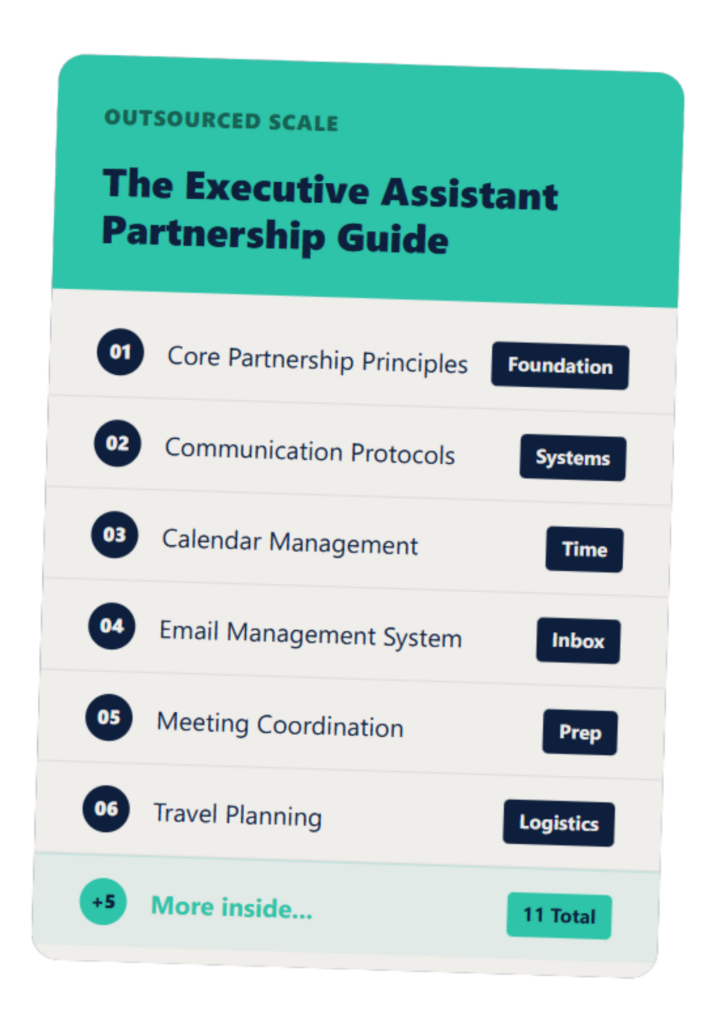
The Executive Assistant Guide
A customizable EA system that helps you and your assistant work smarter—not harder.
The math of waiting another 90 days
Three months of waiting has a specific cost. At a $200/hr effective rate and 10 admin hours per week, 90 days of continued self-managed admin represents roughly $24,000 in foregone value.
Calculating the cost of the wait at different billing rates
| Billing Rate | Admin hrs/week | 90-day cost of waiting |
| $150/hr | 10 hrs | $18,000 |
| $200/hr | 10 hrs | $24,000 |
| $250/hr | 10 hrs | $30,000 |
These figures reflect the value of hours spent on admin-grade tasks at your professional rate. The comparison to how much an offshore EA costs in 2026 makes the gap visible. A full-time offshore EA costs $1,200-$2,000 per month. Over 90 days, that is $3,600-$6,000 against a foregone value figure that is three to five times higher. The guide on whether hiring an EA is actually worth it runs through the decision criteria if you want to check the math against your specific rate.
What 90 days of continued admin overhead looks like compounded
The cost of waiting is not just the 90-day total. It is also the client relationships that did not get the follow-up they needed, the business development conversations that did not happen because the day was full, and the operational improvements that stayed on the list. Admin overhead does not just cost time. It has an opportunity cost that compounds over quarters.
The decision: $24,000 equivalent deferred value vs $4,500 EA cost over 90 days
At $200/hr and 10 admin hours per week, waiting 90 days costs roughly five times more than the EA. The decision is not whether the timing is right. The decision is whether the math changes next month. It does not.
How to start even when your plate is full
Starting the process does not mean starting the training. It means booking one conversation. The onboarding does not move forward until you are ready.
The one decision that starts the process without committing your calendar
A 20-minute call with a managed provider is not a commitment. It is a scoping conversation. You describe your week, they tell you what the EA would own, and you decide whether to proceed. Your calendar does not change until you say yes. Nothing moves without your sign-off.
How the managed model handles matching and pre-start prep while you work
Once you confirm you want to proceed, the provider handles recruiting, vetting, and pre-start orientation for the EA. You are not involved in this process. You receive a confirmation when the EA is ready and a proposed start date. The prep work happens on their side while your week runs normally. The guide on how to hire and onboard a virtual EA covers what the managed model handles before you are involved. The list of first-time EA hire mistakes to avoid covers the decisions worth getting right before day one.
What day one of onboarding requires from you: less than any other business decision this month
Day one is the kickoff call. Sixty minutes. You talk, the EA listens, and the first week begins. That is the full commitment to start. Everything that follows is lighter than this first hour.
FAQs About
Is there a “right time” to hire an executive assistant?
The right time is when your recurring admin hours exceed the cost of having someone else own them; that threshold arrives earlier than most firm owners expect, and the right conditions do not appear before the EA starts, they appear because of it.
How long does it take to onboard an EA when I am already busy?
In a managed model, week one requires roughly one to two hours; the EA observes your workflow and begins handling the first task set in week two, with no SOPs, training sessions, or cleared calendar required.
What if I hire an EA and it does not work out?
With a managed provider, replacement is part of the service; if the first placement is not right, the provider re-matches without the client going through the full search again.
How many hours per week does managing an EA require?
Less than 30 minutes per day in the first two weeks, dropping to a brief weekly check-in by week three as the EA builds familiarity with your systems.
Should I wait until after tax season or the end of the quarter to start?
The busy period is exactly when the EA would save the most hours; starting before the crunch means the EA is already running when you need it most, not still in week one.
The process starts with one conversation, not a project, not a clear calendar. Book 20 minutes here and we will tell you exactly what week one looks like for your firm. The setup is lighter than you think.