
Key Takeaways
- Undocumented processes do not cause errors as much as they require constant low-level owner involvement, defeating the purpose of delegation entirely.
- A four-field format covering trigger, steps, output, and tools is enough to hand off most recurring EA tasks without writing formal SOPs.
- The fastest documentation method is narrating a task as you complete it one final time, producing a rough draft in five minutes with minimal extra effort.
- Once onboarded, the EA documents new tasks as they learn them, producing a process library written from the reader’s point of view that builds without founder effort.
- Core recurring tasks are fully documented within 60 days, with inbox and calendar covered in weeks one and two and CRM and client follow-up added in weeks three and four.
Delegation breaks down not because the EA is the wrong person but because the process was never written down. When there is no documentation, every task requires you to re-explain, re-check, or redo. The good news: documentation does not have to be a project. It can happen in 10-minute increments, and the EA can help build it once they are onboarded.
Why undocumented processes make every delegation feel risky
When a process lives only in your head, handing it off requires a perfect transfer of implicit knowledge. That transfer fails more often than it holds. Documentation makes the handoff repeatable.
The implicit knowledge problem: why experts struggle to explain what they do automatically
The tasks you have done hundreds of times are the hardest to document. You no longer notice the steps because you execute them without thinking. When you try to explain the process to someone else, you skip the parts that feel obvious, and those are exactly the parts the other person needs. This is not a failure of communication. It is how expertise works. Documentation forces you to make the implicit explicit, which is uncomfortable but necessary.
Why “just show them” works once but fails for recurring tasks
Walking someone through a task once produces a memory, not a reference. The next time the task comes up, the EA either remembers correctly, asks you again, or makes a reasonable guess. Any of these three paths keeps you involved. A written document means the EA can reference the correct steps without prompting you, and that is what removes you from the loop.
The guide on building trust with a remote EA covers the setup practices that make the early handoff period clean, including how to structure the first documentation conversations before week two tasks begin.
The real cost of undocumented processes: not errors, but the need to stay involved
The cost of undocumented processes is not usually mistakes. It is the constant low-level involvement required to keep things on track. Questions routed to you. Approvals requested before sending. Checks run past you before a decision is made. Each interaction is short. The pattern across a week is the same bottleneck you were trying to remove.
The simplest documentation format that actually works
A good process document does not need to be long. It needs to answer four questions: what triggers this task, what are the steps, what does done look like, and what tools are involved.
The four-field format: trigger, steps, output, tools used
The four-field format works for most recurring tasks an EA handles:
- Trigger: What causes this task to start. A client email arrives. A calendar slot opens. A date on the cycle calendar is reached.
- Steps: The sequence of actions in order. Number them. Keep each step to one action.
- Output: What done looks like. A confirmation sent. A record updated. A file moved to the correct folder.
- Tools: Which platforms or documents are involved. Gmail, Calendly, HubSpot, a specific spreadsheet.
A document with these four fields is enough to hand off most recurring EA tasks. It does not need a background section, a purpose statement, or a revision history. Those come later if the process grows in complexity.
The guide on which tasks to delegate to an EA first is a useful starting point for deciding which processes to document first based on frequency and impact.
Why screenshots and short Loom recordings beat written paragraphs for most tasks
For tasks involving software interfaces, a screenshot with an arrow is faster to produce and clearer to follow than a written description of where to click. A two-minute Loom recording of you completing the task is faster still. Both formats serve as a first draft of the documentation. The EA watches or reads once, attempts the task, and notes any steps that were unclear. Those notes become the final document.
What “good enough to hand off” looks like: not perfect, functional
A process document is good enough when an EA who has never done the task before can complete it without asking you a question. That bar is lower than you think. A numbered list with screenshots and a one-sentence output description clears it for most scheduling and inbox tasks. Do not wait for the document to be polished before handing off the task.
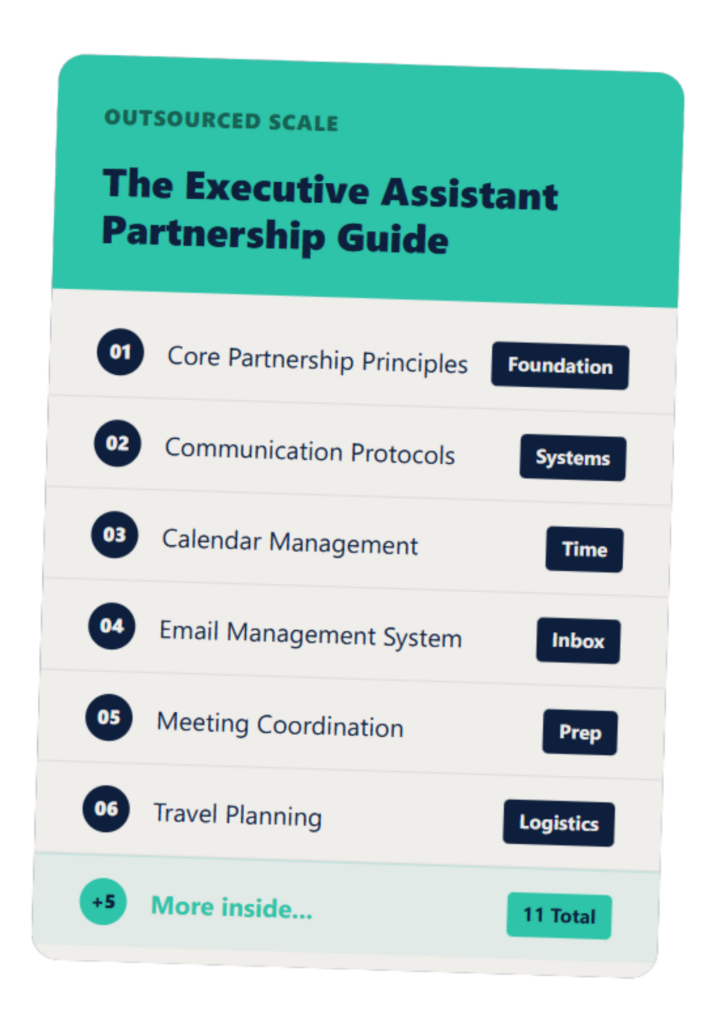
The Executive Assistant Guide
A customizable EA system that helps you and your assistant work smarter—not harder.
How to document while doing the task instead of sitting down to write SOPs
The most effective way to build a process document is to create it while doing the task for the last time. Open a document alongside your work and write as you go.
The “do it one more time” method: narrating the task as you complete it
The next time you handle a recurring task, open a Google Doc or Notion page alongside it. Type each step as you complete it. Do not edit. Do not format. Just narrate. At the end, you have a rough draft that took five minutes longer than doing the task normally. That draft becomes the handoff document after one pass of cleanup.
Somewhere’s research on SOP-based delegation for assistants notes that a working SOP database cuts unnecessary back-and-forth and lets assistants operate independently faster. The “do it one more time” method is the fastest way to build that database without treating documentation as a separate project.
Using Loom or screen recording as a first draft of documentation
Record yourself completing the task once while narrating what you are doing. Send the recording to your EA with a note that this is the process for now and ask them to follow it and flag anything unclear. The Loom recording is the SOP until a written version is needed. For most tasks it never needs to become anything more formal.
Why incremental documentation beats a documentation sprint
A documentation sprint produces a large batch of uneven documents, some of which will be outdated before the EA uses them. Incremental documentation produces one clean document per task at the moment that task is handed off. The document is current because it was written at transfer time. The EA reads it immediately and uses it while the steps are fresh. Nothing sits in a folder waiting to be relevant.
How to involve the EA in building their own process documentation
Once the EA starts working, they can take over the documentation process. Their perspective often produces clearer process documents than the founder’s because they write from the reader’s point of view.
Asking the EA to document new tasks as they learn them
When you hand off a new task, ask the EA to document it as they learn it rather than having you write the document first. Walk them through it once, let them attempt it once, and then ask them to write down the steps they followed. This produces a document written in the EA’s own words, which is more useful to them than one written in yours.
Priority VA’s guidance on process documentation notes that recording yourself completing a task as you do it produces living documents that improve over time. When the EA takes over this practice for new tasks, the documentation library builds itself.
The review cycle: EA drafts, founder confirms, document goes live
The review cycle is simple. EA documents the task. You read it once and confirm it matches how you want the task done. If it does, the document is live and the task is handed off. If it does not, you make the corrections directly in the document and the EA updates their approach. One round of review per document is usually enough.
The EA weekly check-in template includes a section for flagging tasks that need documentation updates, which keeps the library current without requiring a separate review process. The guide on how to give feedback to an offshore EA covers the feedback format that makes document corrections actionable without creating friction.
How to build a documentation library over 60 days without a formal project
The first two weeks cover inbox and calendar. Weeks three and four add CRM updates and client follow-up. By week eight, the core task set is documented and the EA is running independently on all of it. The EA 30-60-90 day onboarding plan maps this sequence in detail. The guide on how to manage an offshore EA covers the ongoing management structure once the documentation library is in place and the EA is operating independently.
FAQs About EA Process Documentation
Do I need to write SOPs before my EA starts?
No. The EA observes and learns in the first week without complete documentation; processes are documented incrementally as tasks are handed off, and starting before documentation is finished is normal and recommended.
What is the minimum documentation needed for an EA to run a task independently?
Four things: what triggers the task, what the steps are, what done looks like, and which tools are involved. A one-page document with these four elements is enough to hand off most recurring tasks.
What tools work best for storing EA process documentation?
The tools your firm already uses: Notion, Google Docs, or a shared folder in Drive. The tool matters less than the access; the EA needs to find and update documents without asking you.
What if the process changes after the documentation is written?
When a process changes, whoever changes it updates the document. Build this as a habit from week one rather than treating documents as finished artifacts.
How long does it take to fully document an EA’s task set?
For most professional service firms, core recurring tasks are fully documented within 60 days; the first two weeks cover inbox and calendar, and weeks three and four add CRM and client follow-up.
If documentation feels like the thing between you and a running EA, that is a solvable problem in week one. Book 20 minutes here and we will show you exactly how the documentation process works in a managed model.